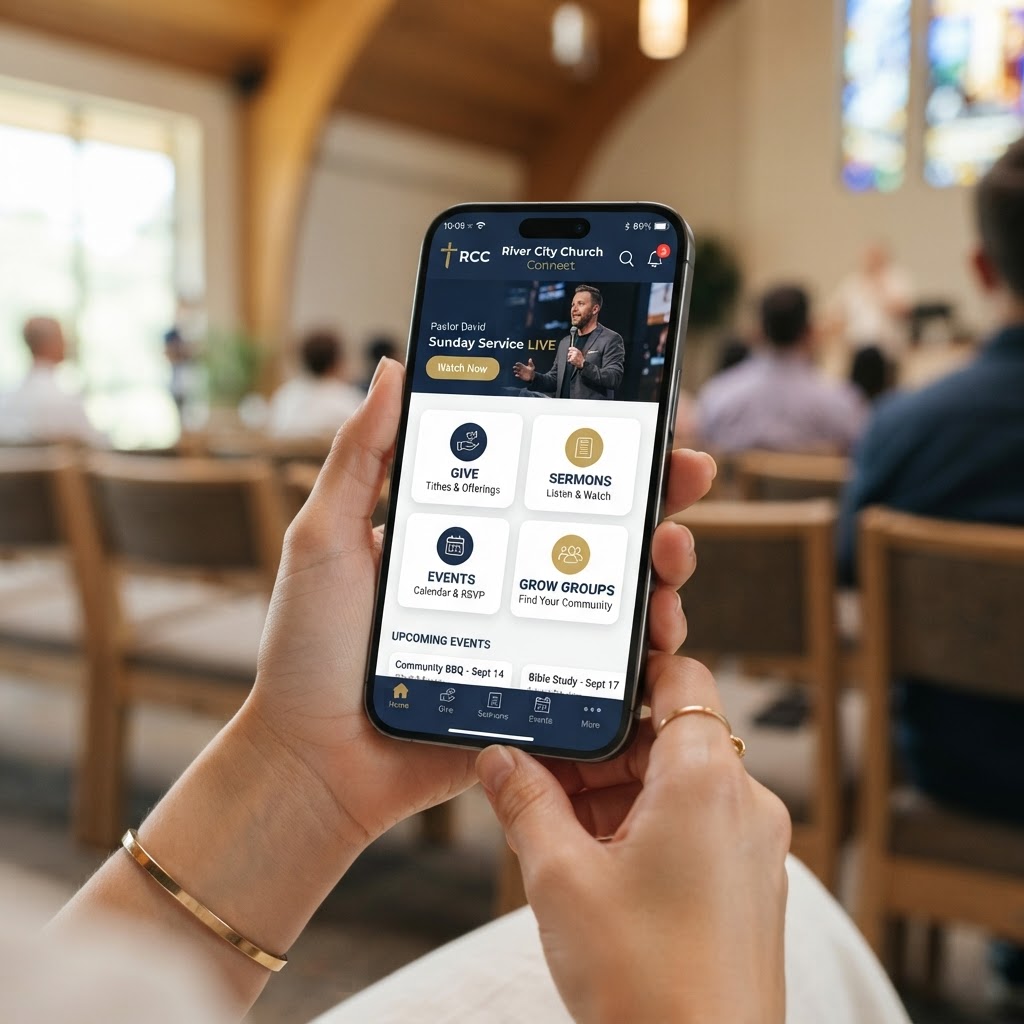
Choosing the best church app in 2026 means choosing between platforms like Pushpay, Subsplash, Planning Center, and MyChurch — and then making sure the features inside that platform actually drive engagement, not just sit on a phone unused after Sunday.
Most church app demos show you a polished homescreen. What they skip past is what happens when a first-time guest tries to check in their kid from the parking lot, when a mid-week push notification goes unread, or when your finance director needs to reconcile a weekend's giving. That's where the real differences show up — and where a lot of churches realize, about 18 months in, that they bought the wrong thing.
The average church app is used 3x more than the church website. But only if it has the features that make it worth opening every week — not just on Sunday morning.
In this guide, we compare the top church app platforms, break down the 10 essential church app features that separate the best from the rest, and answer the most common questions church leaders ask before investing.
Best Church App Platforms in 2026
Pushpay (MyChurch App / Custom App)
Pushpay's MyChurch App and Custom App live inside the ChurchStaq platform, which makes it a strong choice if you want giving, church management, and your app to share data without manual reconciliation. Pushpay is well-funded and feature-rich, but pricing is enterprise-level — often $100–$200+/month depending on church size.
- Best for: Large churches needing integrated ChMS + giving + app
- Strengths: Deep integration, LEAD app for staff, recurring giving
- Weaknesses: Expensive, complex setup, not fully custom-branded in MyChurch tier
Subsplash
Subsplash has a strong reputation for polished app design and media delivery. Their apps are visually beautiful and their media player is excellent for sermon audio and video. However, Subsplash is primarily an app platform — it doesn't offer the same depth of church management or giving integration as Pushpay or MyChurch.
- Best for: Churches prioritizing design polish and media experience
- Strengths: Beautiful UI, excellent media player, strong push notifications
- Weaknesses: Limited ChMS integration, giving is a separate product, higher cost
Planning Center
Planning Center excels at volunteer scheduling, people management, and check-in — but it doesn't offer a white-labeled, standalone church app. Churches using Planning Center typically need to pair it with a separate app platform, which creates the data silo problem that integrated platforms solve.
- Best for: Churches needing scheduling and people management tools
- Strengths: Excellent scheduling, check-in, and people database
- Weaknesses: No standalone app — must pair with another platform
MyChurch (My Pocket Church)
MyChurch builds fully custom, white-labeled church apps published under your church's name on both the App Store and Google Play — not inside a shared app environment. Every app includes the 10 essential features below, plus ongoing management, AI ministry chatbots, and integrated giving. Pricing starts significantly lower than Pushpay or Subsplash while offering more customization.
- Best for: Churches wanting a fully custom app at an affordable price
- Strengths: Fully branded, custom design, AI chatbot integration, ongoing management
- Weaknesses: Not an all-in-one ChMS — pairs with your existing systems
Explore our church mobile app service or see transparent pricing.
Church App Platform Comparison at a Glance
- Best for large churches with ChMS needs: Pushpay
- Best for design polish and media: Subsplash
- Best for scheduling and people management: Planning Center (pair with an app)
- Best for custom branding and value: MyChurch
10 Essential Church App Features in 2026
Picking a platform is the easy part. The features inside it are what determine whether your app becomes a genuine engagement tool or a bulletin board nobody opens after Sunday. Here are the 10 features worth scrutinizing before you sign anything.
1. Sermon Integration
Your app must serve audio and video of your sermons. It gives people the opportunity to revisit what they learned on Sunday morning and stay up to date when they can't make it in person. It's also one of the most powerful ways for newcomers to get to know your church before they ever attend.
Look for: automatic sermon publishing (no manual upload), audio and video support, download for offline listening, searchable archive, and chapter markers.
2. Digital Bulletins
A church of 200 spends about $150 a week on full-color bulletins — that's $7,800 a year. That's a lot of capital spent on something that gets stuck in a Bible or thrown on the floor of someone's car. A digital bulletin in your app is updated in real time, never gets lost, and can include links, registration forms, and giving prompts that paper can't.
3. Integrated Events
If you want to put on a conference, concert, or community event, it should all happen from your church's app. You can organize, promote, and take registrations in one place. The great thing about having an app is being able to bring all of your church information and services together — events should never live in a separate system.
4. Blog and Podcast Feeds
If your church has a blog or podcast, members shouldn't have to go anywhere else for it. They should be able to open the app and jump right in. A blog in the form of a daily devotional is one of the best ways to get your congregation into the app regularly — not just on Sundays.
5. Push Notifications
Push notifications have an 88% open rate compared to 20% for email. Whether it's an important meeting, potluck, Bible study, or event coming up, push notifications allow you to remind people — even when they're not actively using your app. This is the single most powerful engagement feature in any church app.
6. Church Calendar
We often use church bulletins to remind people of upcoming events, but they get thrown away so it doesn't work well. Imagine if you could make your church calendar public — and everyone just had it in their pocket. A synced, always-up-to-date calendar that members can subscribe to and get reminders from is a game-changer for engagement.
7. Customizable Design
You want your church app to represent your church well. Not only does it need to be branded with your logo, colors, and identity, but it also needs to have exactly what your congregation needs — and nothing else. You should be able to decide what your experience looks like, what information it includes, and how it operates.
This is where white-labeled shared-app platforms fall short. A fully custom app published under your church's name — not inside someone else's app — gives you the branding and flexibility that shared solutions can't.
8. Mobile Giving
Roughly 76% of U.S. adults have made a purchase from their phone. The bar your giving experience is being measured against isn't another church platform — it's whatever app your donors used to order coffee that morning. One-tap giving with recurring options, fund selection, and giving history is non-negotiable.
Churches with in-app giving see 20–60% increases in total giving. The tighter the integration (giving inside the app, not redirecting to a browser), the better. Learn more about online giving solutions and the best church giving platforms.
9. Advanced Analytics
To have an app that's getting used well, you need to know how people are using it. Analytics allow you to see what features people use the most, when, and for how long. This lets you make data-driven decisions to serve your congregation better — which sermons get the most listens, which events get the most registrations, which push notifications drive the most engagement.
10. Social Media Integration
If someone is enjoying a sermon or is excited about an event, you want to give them the ability to share that with their friends on social media. Social media integration is non-negotiable in 2026. One-tap sharing to Facebook, Instagram, X, and text message extends your church's reach far beyond your congregation.
High-Impact Add-On Features
Beyond the essentials, these features separate a great church app from a generic one:
- Prayer wall: Members post, share, and pray for one another — builds a culture of prayer
- Interactive sermon notes: Members follow along and save reflections
- Live streaming: Stream services directly in the app for homebound or remote members
- Bible and devotionals: In-app Bible reader and daily devotionals for daily engagement
- Church directory: A private, searchable member directory with opt-in profiles
- Child check-in: Secure, integrated family check-in from the app
- Multi-language support: Serve diverse congregations in their preferred language
- AI ministry chatbot: An AI assistant trained on your church's content that answers questions 24/7 and captures prayer requests
Every church app we build includes all 10 essential features plus these high-impact add-ons — published under your church's name on both app stores.
What Separates a Great Church App from a Generic One
- Branded under your name: Your icon, your colors — not a white-labeled template inside someone else's app
- Published on App Store & Google Play: Owned by your church, not a platform — your church controls the listing
- Easy for your team to update: A control panel your staff can actually use, not a developer-only tool
- Ongoing management: OS updates, bug fixes, and feature additions — apps that break lose users fast
- AI integration: A chatbot that answers questions and captures leads 24/7
How to Choose the Right Church App
- Who will manage it? No volunteer? Choose a platform with ongoing management included
- Do you need ChMS integration? If yes, Pushpay or an integrated platform is worth the cost
- Is branding critical? Choose a fully custom app, not a shared-app environment
- What's your budget? Pushpay and Subsplash are $100–$200+/month; MyChurch starts lower with more customization
- Do you need AI? Only MyChurch offers integrated AI ministry chatbots inside the app
Still unsure? Book a free consultation and we'll help you compare platforms honestly — even if that means recommending a competitor.
Frequently Asked Questions About Church Apps
What are the best church apps in 2026?
The top church app platforms in 2026 are Pushpay, Subsplash, Planning Center, and MyChurch. Pushpay's MyChurch App and Custom App are built into the ChurchStaq platform, meaning giving, church management, and the app share a single data layer. Subsplash leads on media delivery and design polish. Planning Center excels at scheduling but doesn't offer a standalone app. MyChurch offers fully custom, white-labeled apps at a lower price point with AI integration. The right choice depends on whether your priority is ChMS integration, design, or custom branding.
What features should a church app have?
At minimum: mobile giving, push notifications, sermon content (audio and video), a church calendar, event registration, and app analytics. Beyond that, the features that make a real operational difference are prayer walls, interactive sermon notes, live streaming, Bible integration, and AI ministry chatbots — because those are the things that turn an app into something people actually open during the week, not just on Sunday morning. See our full list of essential church app features.
How much does a church app cost?
Church app pricing ranges from $50–$200+/month depending on the platform and features. Pushpay and Subsplash tend to be on the higher end, while MyChurch offers fully custom apps starting at a lower price point. The real cost question is total cost of ownership — including setup fees, App Store/Google Play developer accounts, ongoing management, and updates. See our guide on church app costs for a full breakdown.
Does a church app need to include mobile giving?
Yes, and the tighter the integration, the better. An app that links out to a separate giving page creates friction; a fully embedded giving experience keeps the transaction in one place. Recurring gift setup, giving history, and fund designation all work better when giving lives inside the app rather than redirecting to a browser. Churches with in-app giving see 20–60% increases in total giving.
Can a church app replace printed bulletins?
Practically, yes — and the cost argument is real. A church of 200 printing full-color bulletins spends around $7,800 a year. A digital bulletin in your app is updated in real time, doesn't get left in the pew, and can include links, registration forms, and giving prompts that paper can't. The honest caveat: adoption takes intentional promotion, especially with older demographics. The app doesn't replace the bulletin the week you launch it — but within 6–12 months, most churches see 60–80% of their congregation using the digital bulletin.
What's the difference between a shared app and a custom app?
A shared app (like Pushpay's MyChurch App) gives your church a presence inside a shared app environment — faster to launch but less customizable. A custom app (like what MyChurch builds) is published under your church's name as its own listing on the App Store and Google Play — fully branded, fully customizable, and owned entirely by your church. Custom apps cost more upfront but offer far better branding, flexibility, and long-term value.
Ready to Transform Your Church's Digital Presence?
Schedule a free consultation with our ministry technology experts and discover how a custom church app or AI-powered tools can grow your congregation.
Book Consultation →