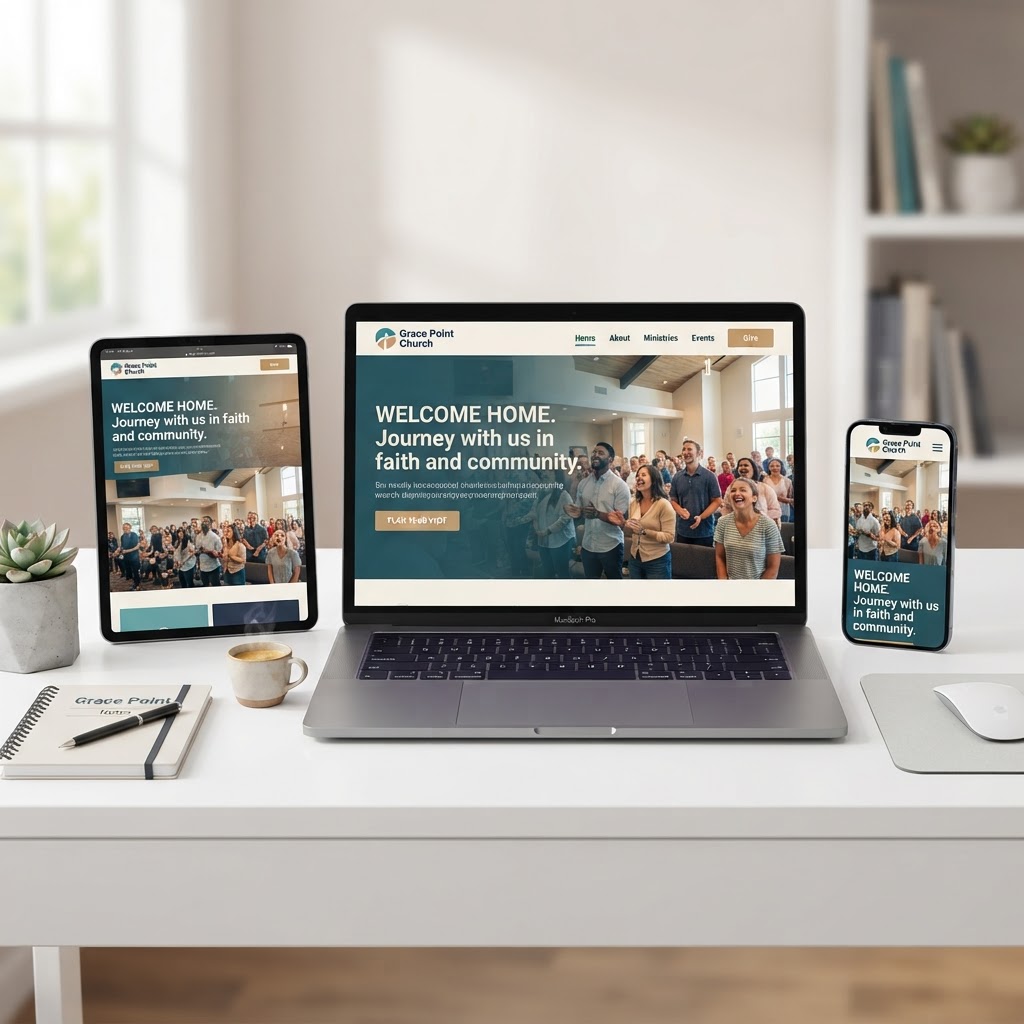
If your church does not have a website — or has one that looks like it was built in 2012 — you are invisible to the very people searching for you. According to Grey Matter Research, 17 million Americans who do not regularly attend church have visited a church website. And according to Pew Research, 77% of adults look up an organization online before deciding to engage with it. For churches, that means your website is the difference between a new family walking through your doors on Sunday or driving past to the church down the road.
This guide covers everything you need to know about websites for churches in 2026 — the best platforms, essential pages, design principles, SEO strategies, ADA compliance, costs, and how to decide between free and paid options. Whether you are planting a new church or redesigning an outdated site, this is your roadmap.
Why Churches Need Websites in 2026
88% of first-time church visitors check the church website before deciding to attend. If your site is slow, outdated, or missing basic information, visitors will simply choose another church.
Your church website is no longer a digital bulletin board — it is your front door, your visitor center, and your 24/7 outreach tool all rolled into one. Here is why every church needs a website, regardless of size:
- People are searching for you online. When someone moves to a new area or is seeking a church home, the first thing they do is Google "churches near me." If you do not appear in those results, you do not exist to them.
- It builds trust before the first visit. A professional website with photos, beliefs, and service times tells visitors what to expect, reducing the anxiety of showing up to an unfamiliar place.
- It centralizes your ministry. Sermons, events, giving, prayer requests, small group sign-ups — your website is the hub where everything connects.
- It works while you sleep. Your website never takes a vacation. It is always available to answer questions, accept donations, and share your message with the world.
- 33% of church attendees watched online services before visiting in person, according to Enterprise Apps Today. Your website is where that digital first impression happens.
Free vs. Paid Church Websites: Which Is Right for You?
One of the first decisions you will face is whether to use a free website builder or invest in a paid solution. Both have their place — the right choice depends on your church's size, budget, and goals.
When a Free Church Website Makes Sense
- New church plants with zero budget that need a basic online presence quickly.
- Small congregations that only need a simple one-page site with service times and contact information.
- Churches that have a volunteer with technical skills who can manage a DIY builder.
When a Paid Church Website Is the Better Choice
- Churches that need custom branding and a design that reflects their unique identity and mission.
- Ministries requiring sermon archives, donation tools, event registration,and member portals.
- Churches wanting reliable support, security, and ADA compliance without having to manage it themselves.
- Congregations that want their website to rank on Google and actively attract new visitors through SEO.
- Churches that have outgrown a free builder and need advanced features like live streaming integration, podcast hosting, and mobile app connectivity.
The reality is that most growing churches eventually outgrow free website builders. Free plans come with limitations — third-party ads in your footer, restricted storage for sermons, limited design customization, and no dedicated support. A professionally managed website eliminates those constraints and gives your church a platform that grows with you.
Best Church Website Builders in 2026
Not all website builders are created equal. Some are designed specifically for churches, while others are general-purpose platforms that can be adapted. Here is our comparison of the top options for websites for churches:
1. My Pocket Church — Best All-in-One Church Website Platform
My Pocket Church is a complete digital platform built specifically for churches and ministries. Unlike generic website builders, it combines custom website design, SEO, hosting, security, ADA compliance, online giving, and mobile app integration into one managed service.
- Custom design tailored to your church's brand and mission — no templates.
- Built-in SEO to help your church rank on Google for local searches.
- ADA-compliant websites with accessibility widgets included.
- Online giving through Give Pots — no third-party donation tools needed.
- Full management — design, updates, security, and content changes handled by a dedicated team.
- Mobile app integration — your website and app work together seamlessly.
Best for: Churches that want a professionally designed, managed, and optimized website without having to do it themselves.
2. Wix — Best for DIY Builders on a Budget
Wix is a popular general-purpose website builder with a free plan and church-friendly templates. It uses a drag-and-drop editor that makes it easy for beginners to create a website without coding.
- Free plan available with Wix-branded domain.
- Hundreds of templates, including some designed for churches.
- Built-in SEO tools and app marketplace.
Drawbacks: Free plan shows Wix ads, limited storage, and no custom domain. Upgrading to a paid plan can get expensive as you add features. Not church-specific, so you will need to manually integrate giving, sermons, and events.
3. Squarespace — Best for Beautiful Design
Squarespace is known for its stunning, professional templates. If visual design is your top priority, Squarespace delivers some of the most polished layouts available.
- Award-winning templates that look modern and clean.
- Built-in blogging, analytics, and e-commerce.
- Reliable hosting and 24/7 customer support.
Drawbacks: No free plan — only a 14-day trial. Limited integrations for church-specific needs like sermon hosting and online giving. Higher learning curve than Wix for beginners.
4. Weebly — Best for Absolute Beginners
Weebly is one of the simplest website builders available. Its drag-and-drop editor is intuitive, making it a good choice for churches with no technical expertise.
- Free plan available with Weebly branding.
- Easy-to-use editor with minimal learning curve.
- Built-in e-commerce for simple donation pages.
Drawbacks: Fewer template options than Wix or Squarespace. Limited customization. Not designed for churches, so you will need workarounds for sermons and events.
5. WordPress — Best for Flexibility and Control
WordPress powers over 40% of all websites on the internet. It offers unmatched flexibility through thousands of plugins and themes, including several designed specifically for churches.
- Thousands of free and premium themes, including church-specific options.
- Plugins for sermons, events, donations, and small groups.
- Full control over every aspect of your site.
Drawbacks: Steep learning curve. You are responsible for security updates, backups, and hosting. Without technical knowledge, WordPress can become a maintenance burden. Most churches end up hiring a developer, which adds to the cost.
6. Strikingly — Best for Simple One-Page Sites
Strikingly specializes in one-page websites. If your church needs a simple online presence with service times, location, and a contact form, Strikingly gets you live in minutes.
- Free plan with basic features.
- Extremely fast setup — perfect for new church plants.
- Mobile-optimized templates out of the box.
Drawbacks: Limited to one-page layouts on the free plan. Not suitable for churches that need sermon archives, event calendars, or multi-page navigation.
Essential Pages Every Church Website Needs
A great church website is not just about looking good — it is about providing the information visitors need to take the next step. At minimum, your website for churches should include these pages:
Home Page
Your homepage should immediately answer three questions: Who are you? When do you meet? Where are you located? Include a warm welcome message, professional photos of your congregation, and clear calls-to-action for visiting, watching online, or giving.
About Us Page
Share your church's mission, beliefs, and leadership team. Visitors want to know what you believe and who is leading. Include:
- Your mission statement and core values.
- What denomination you belong to (if any).
- Photos and short bios of your pastoral team.
- Your statement of faith or beliefs.
Sermons Page
A sermon archive is one of the most visited pages on any church website. Visitors want to hear your teaching before they visit. Include audio or video of past messages, organized by series, date, or Scripture reference. If you are not recording sermons yet, start now.
Events Page
Keep your congregation informed about upcoming services, Bible studies, youth events, and community outreach. An events calendar with dates, times, locations, and registration links makes it easy for people to participate.
Online Giving Page
Online giving is no longer optional. Your website should include a simple, secure way for members and visitors to give. Look for a platform that offers recurring giving, multiple payment methods, and automatic donation receipts.
Contact Page
Make it easy for visitors to reach you. Include your church address with an embedded map, phone number, email address, service times, and a contact form. Do not make people hunt for this information.
Plan Your Visit Page
This is a page many churches overlook but it is incredibly powerful for first-time visitors. Answer the questions visitors are too nervous to ask: What should I wear? How long is the service? Is there childcare? What denomination are you? A "Plan Your Visit" page removes barriers and increases the likelihood someone will actually show up.
What Should a Church Website Include?
Beyond the essential pages, a great church website should feature:
- Professional photography. Real photos of your congregation, building, and worship space. Stock photos feel fake — visitors want to see what your church actually looks like and who the people are.
- A clear mission and belief statement. What does your church believe? What denomination are you affiliated with? Visitors want to know before they visit.
- Meeting times and location. This should be visible on every page — ideally in the header or footer. Do not make someone search for when and where to show up.
- Member testimonials. Real stories from real people build trust and show visitors what life in your church community looks like.
- Social media integration. Link to your Facebook, Instagram, YouTube, and other social platforms so visitors can connect with you wherever they are.
- Live streaming integration. If you stream your services, make the link prominent. Many visitors will watch online before attending in person.
- Mobile responsiveness. Over 60% of web traffic comes from mobile devices. If your site does not look good on a phone, you are losing visitors.
- Fast load times. Google penalizes slow websites. Your site should load in under three seconds or visitors will leave.
What Makes a Great Church Website?
A great church website is more than a digital brochure. It is a powerful tool to connect with your congregation and community. Here is what separates a good church website from a great one:
- User-friendly navigation. Visitors should find what they need in two clicks or less. Clear menus, logical page structure, and a search function help people navigate effortlessly.
- Visually appealing design. Clean layouts, consistent branding, and high-quality imagery create a welcoming first impression that reflects the excellence of your ministry.
- Clear calls-to-action. Every page should guide visitors toward a next step — visit, watch, give, contact, or join a small group.
- SEO optimization. A beautiful website that no one can find on Google is not serving its purpose. Great church websites are built with SEO in mind from the ground up.
- ADA compliance. Your website should be accessible to everyone, including people with disabilities. ADA compliance is both a legal requirement and a ministry imperative.
- Fresh content. A blog, news section, or regularly updated events calendar shows that your church is active and engaged. Stale content signals that a church is inactive.
- Social proof. Google reviews, member testimonials, and photos of real people create credibility and help visitors feel confident about attending.
How to Create a Church Website in 5 Steps
Creating a website for your church does not have to be complicated. Here is a step-by-step process:
Step 1: Choose Your Platform
Decide whether you want to build it yourself using a free or low-cost builder, or invest in a professionally designed and managed website. If you want a site that ranks on Google, is ADA compliant, and includes giving, sermons, and events — a managed platform like My Pocket Church is the best long-term investment.
Step 2: Pick a Church-Friendly Design
If using a DIY builder, look for a template that includes a homepage with service times, an events calendar, a sermon archive, and a donation button. If working with a professional designer, provide your logo, brand colors, and photos of your church.
Step 3: Add Your Essential Pages
Build out your Home, About, Sermons, Events, Giving, and Contact pages. Do not forget a "Plan Your Visit" page for first-time guests.
Step 4: Integrate Church Features
Add the tools your church needs:
- Live streaming tools (YouTube Live or Facebook Live embedded on your site).
- Online giving platform for secure donations.
- Social media feeds and links.
- Email signup forms for newsletters and announcements.
- Prayer request forms.
- Event registration and RSVP tools.
Step 5: Publish and Share
Once your website is ready, publish it and start sharing. Post the link on social media, include it in your church bulletin, add it to your email signature, and claim your Google Business Profile so your church appears in local search results.
SEO for Church Websites: How to Rank on Google
Having a beautiful website means nothing if no one can find it. Search Engine Optimization (SEO) is what helps your church appear when someone searches for "churches near me" or "websites for churches" in your area.
Local SEO for Churches
Local SEO is the most important SEO strategy for churches. When someone searches for a church, Google shows results based on location. To rank in local searches:
- Claim your Google Business Profile. This is free and puts your church on Google Maps. Add your service times, photos, website link, and contact information.
- Use local keywords. Include your city and neighborhood in your website content — "church in [city name]," "churches near [neighborhood]," etc.
- Get Google reviews. Ask members to leave reviews on your Google Business Profile. Reviews are one of the top ranking factors for local search.
- Ensure NAP consistency. Your Name, Address, and Phone number should be identical across your website, Google Business Profile, and all online directories.
On-Page SEO Basics
- Title tags and meta descriptions: Each page should have a unique, keyword-rich title and description.
- Header tags: Use H1, H2, and H3 tags to structure your content.
- Image alt text: Describe your images with alt text that includes relevant keywords.
- Fast page speed: Compress images, use caching, and choose reliable hosting. Google rewards fast websites.
- Mobile-first design: Google indexes the mobile version of your site first. If it is not mobile-friendly, your rankings will suffer.
ADA Compliance for Church Websites
ADA compliance is not just about avoiding lawsuits — it is about making sure everyone can access your church's message, including people with visual, auditory, or cognitive disabilities. An ADA-compliant church website includes:
- Screen reader compatibility with proper alt text and ARIA labels.
- Keyboard navigation for users who cannot use a mouse.
- Sufficient color contrast between text and background.
- Resizable text that works without breaking the layout.
- Captions or transcripts for video and audio content.
- An accessibility widget or toolbar that lets visitors customize their browsing experience.
My Pocket Church includes ADA compliance widgetson every website we build, ensuring your ministry is accessible to all.
How Much Does a Church Website Cost?
The cost of a church website varies widely depending on the approach you choose:
- Free builders (Wix, Weebly, Strikingly): $0, but with significant limitations — third-party ads, no custom domain, limited storage, and no dedicated support.
- DIY paid plans (Wix, Squarespace, WordPress): $12–$40/month, plus the cost of your time and any premium plugins or themes. You are responsible for updates, security, and maintenance.
- Professional church website design: $2,000–$10,000+ upfront for a custom design, plus ongoing hosting and maintenance fees.
- Managed church website platform (My Pocket Church): One flat monthly fee that covers design, hosting, security, ADA compliance, SEO, content updates, and support — with no upfront costs. This is the most cost-effective option for churches that want a professional website without the maintenance burden.
Read our detailed breakdown of how much a church website costs for a full comparison.
What to Expect from a Free Church Website
Free website builders are a great starting point, but it is important to manage your expectations. Here is what you will likely encounter:
- Branding limitations: Free plans typically display the builder's logo or ads in your footer. Removing these requires upgrading to a paid plan.
- Customization limits: You are restricted to the templates and features the platform offers. Custom code edits are often not possible.
- Storage and bandwidth caps: Free plans limit how many sermons, photos, and videos you can host. Once you hit the limit, you must upgrade or delete content.
- No dedicated support: Free plans usually come with community support only. If something breaks, you are on your own.
- No custom domain: Your URL will look like "yourchurch.wixsite.com" instead of "yourchurch.org," which looks unprofessional.
The good news is that most churches do not need a completely from-scratch website built by a developer. A well-designed, professionally managed platform will usually more than suffice — and it will save you the headache of maintaining a free site that constantly hits limitations.
Common Church Website Mistakes to Avoid
- Outdated information. Service times from two years ago, a pastor who left three years ago, and events that already happened. Keep your content current.
- No clear call-to-action. Visitors should know exactly what to do next: visit, watch online, give, or contact. Make it obvious.
- Poor mobile experience. If your website is hard to read on a phone, visitors will leave. Mobile is not optional.
- Slow load times. A website that takes more than three seconds to load will lose half its visitors. Optimize images and choose fast hosting.
- Missing sermon archive. Sermons are one of the top reasons people visit church websites. If yours is missing, you are losing potential visitors.
- No online giving option. People want to give online. If you do not offer it, they will give elsewhere — or not at all.
- Ignoring SEO. A beautiful website that no one finds on Google is a waste of resources. Build with SEO from day one.
- No ADA compliance. Excluding people with disabilities from accessing your website is both a legal risk and a failure of your ministry mission.
Church Website vs. Church App: Do You Need Both?
A common question we hear is whether a church needs a mobile app in addition to a website. The answer is: they serve different purposes, and growing churches benefit from both.
- Your website is for visitors — people who are searching for a church and need information before their first visit.
- Your church app is for members — people who are already part of your congregation and want to stay connected through push notifications, sermon downloads, event RSVPs, prayer walls, and mobile giving.
My Pocket Church offers both church website design and church mobile apps as part of an integrated platform, so your website and app work together seamlessly.
How to Choose the Right Website for Your Church
With so many options, how do you choose? Ask yourself these questions:
- What is our budget? If it is zero, start with a free builder. If you can invest monthly, a managed platform gives you far more value.
- Who will maintain it? If you do not have a volunteer or staff member with technical skills, a managed platform that handles updates and security for you is essential.
- Do we need online giving? If yes, choose a platform that includes it built-in rather than bolting on a third-party tool.
- Do we want to rank on Google? If local SEO matters to you (and it should), choose a platform built with SEO from the ground up.
- Do we need ADA compliance? If accessibility matters to your ministry (and it should), make sure your platform includes it.
- Do we want a mobile app too? If so, choose a platform that offers both website and app integration.
Why My Pocket Church Is the Best Choice for Church Websites
While free builders and DIY platforms have their place, most churches eventually discover that managing a website is more work than they expected. Security updates, plugin conflicts, broken layouts, SEO changes, and content updates become a never-ending chore.
My Pocket Church eliminates that burden. Since 2010, we have helped 200+ congregations build and manage their digital presence with:
- Custom website design that reflects your church's unique identity — no templates, no cookie-cutter layouts.
- Full management — we handle design, updates, security, hosting, and content changes. You focus on ministry; we handle the technology.
- Built-in SEO to help your church rank on Google and attract new visitors.
- ADA compliance included on every website we build.
- Online giving through our integrated Give Pots donation platform.
- Church mobile apps that work seamlessly with your website.
- AI ministry tools including chatbots, sermon assistants, and visitor follow-up automation.
- Affordable pricing — one flat monthly fee covers everything, with no upfront design costs.
Instead of juggling a website builder, a separate giving platform, an SEO consultant, an accessibility tool, and an app developer, you get everything in one place — managed by a team that understands ministry.
Read our guide on how churches save $30,000+ per year by consolidating their digital tools with My Pocket Church.
Final Thoughts: Your Church Website Is Your Digital Front Door
In 2026, websites for churches are not optional. They are the first place visitors look, the hub where your ministry connects, and the platform that works for you 24/7. Whether you start with a free builder or invest in a professionally managed platform, the most important thing is to have a website that represents your church well.
If you are ready to build a website that attracts visitors, engages your congregation, and grows your ministry — without the headache of maintaining it yourself — we would love to help.
Schedule a free consultation with our team and discover how My Pocket Church can transform your church's digital presence.
Ready to Transform Your Church's Digital Presence?
Schedule a free consultation with our ministry technology experts and discover how a custom church app or AI-powered tools can grow your congregation.
Book Consultation →