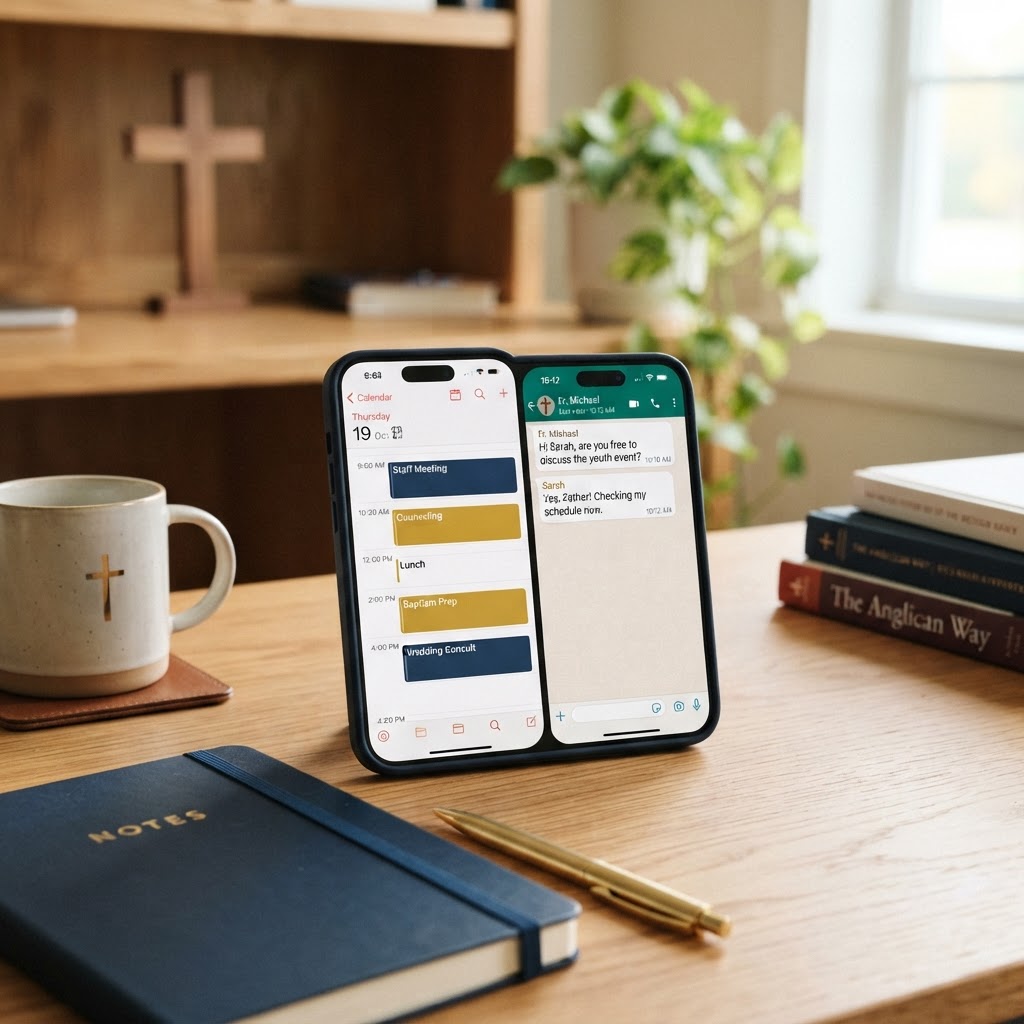
Church staff are rarely at a desk. A pastor is at the hospital, a youth director is at a school lunch, a worship leader is at a rehearsal, an admin is running between the office and the sanctuary. When a member calls to schedule a counseling appointment, or a volunteer texts to move a meeting, the old way — "let me get back to my calendar at the office" — doesn't work. That's why more churches are pairing Google Calendar and WhatsApp to schedule and modify meetings while on the go — keeping ministry moving from anywhere.
In this guide, we'll explore how church staff use Google Calendar and WhatsApp together for mobile scheduling, share best practices, and help you build a workflow that keeps your team connected and your calendar accurate — no matter where ministry takes you.
Ministry doesn't happen at a desk. Google Calendar and WhatsApp let your church staff schedule, confirm, and adjust meetings from anywhere — so no appointment slips through the cracks.
Why Google Calendar and WhatsApp Work Together
Google Calendar and WhatsApp complement each other perfectly for mobile church staff:
- Google Calendar is the source of truth — where every appointment, meeting, and event lives, accessible from any device
- WhatsApp is the communication channel — where members, volunteers, and staff actually talk, with 2 billion users worldwide and 98% message open rates
- Together: A member texts on WhatsApp asking for a meeting — the pastor checks Google Calendar on their phone, proposes a time, confirms in WhatsApp, and the appointment appears on the calendar instantly
- On the go: Both tools are fully mobile — schedule, confirm, and modify appointments from anywhere
Google Calendar for Church Staff
Google Calendar is the scheduling backbone for thousands of churches. Here's why it's ideal for church staff:
- Shared team calendars: Create a staff calendar everyone can see — know who's where at a glance
- Multiple calendars: Separate calendars for staff, facilities, youth, worship, and events — toggle visibility as needed
- Mobile access: Full calendar access from any phone — view, create, and modify appointments anywhere
- Smart scheduling: Google suggests available times based on your existing commitments
- Appointment slots: Offer bookable time slots — members or volunteers grab a slot without back-and-forth
- Reminders and notifications: Phone notifications keep you on time, even when ministry gets busy
- Invites and RSVPs: Send calendar invites — attendees RSVP, and the event syncs to their own calendars
- Video call integration: Every event can include a Google Meet link — one click to join
- Color coding: Color-code by ministry area — pastoral care, meetings, admin, personal — for visual clarity
- Free with Google Workspace: Likely already included if your church uses Google Workspace
WhatsApp for Church Communication
WhatsApp is the world's most popular messaging app — and increasingly, churches are using it for staff and member communication. Here's why it's powerful for scheduling on the go:
- Instant communication: 98% open rate — messages are seen within minutes, unlike email
- Everyone has it: 2 billion users worldwide — many members already use it daily
- Group chats: Create groups for staff, elders, volunteer teams, or small groups — schedule and coordinate in one thread
- Voice messages: Send a quick voice note to confirm details — faster than typing, warmer than text
- Document sharing: Share agendas, forms, or meeting prep docs directly in the chat
- Video calls: Jump into a quick video call right from the chat — no separate app needed
- End-to-end encryption: Conversations are private — essential for sensitive pastoral scheduling
- WhatsApp Business: The Business app adds auto-replies, quick replies, and labels — perfect for church offices
The On-the-Go Scheduling Workflow
Here's how a church staff member schedules and modifies appointments using Google Calendar and WhatsApp together — all from their phone:
Scheduling a New Appointment
- A member texts the pastor on WhatsApp: "Can we meet this week?"
- The pastor opens Google Calendar on their phone and checks availability
- The pastor replies in WhatsApp: "I have Thursday at 2pm or Friday at 10am — which works?"
- The member picks a time; the pastor creates the event in Google Calendar right then
- The pastor sends a calendar invite (Google Calendar emails it) — or confirms with a WhatsApp message
- The appointment is set — without either person being at a desk
Modifying an Appointment
- A member texts: "Something came up — can we move our Thursday meeting?"
- The pastor opens Google Calendar, drags the appointment to a new slot, or creates a new one
- The pastor replies in WhatsApp: "No problem — moved to next Tuesday at 2pm. Does that work?"
- The member confirms; Google Calendar sends an updated invite automatically
- The change is reflected on every device and every shared calendar instantly
Group and Team Scheduling
- A staff WhatsApp group is the hub — "Need to move our staff meeting to Wednesday this week — everyone OK?"
- The team responds in the group; the admin updates the shared Google Calendar event
- Everyone's calendar updates automatically — no individual messages needed
Best Practices for Mobile Church Scheduling
- Keep one source of truth: Google Calendar is the calendar — WhatsApp is for conversation. Don't track appointments only in WhatsApp messages; always create the calendar event
- Use shared calendars: Create a staff calendar, a facilities calendar, and a pastoral care calendar — everyone knows where to look
- Color-code: Assign colors to ministry areas — a glance at the calendar tells you what kind of day it is
- Set reminders: Add 15-minute and 1-hour reminders to every appointment — ministry is distracting
- Confirm in WhatsApp: Even after sending a calendar invite, confirm with a WhatsApp message — it ensures the appointment is seen
- Use quick replies: In WhatsApp Business, save quick replies for common scheduling messages — saves typing on the go
- Send a reminder the day before: A quick WhatsApp message the day before reduces no-shows — "Looking forward to our meeting tomorrow at 2pm"
- Block personal time: Put study time, prayer time, and family time on the calendar — protect them from being scheduled over
- Sync to your phone: Make sure Google Calendar syncs to your phone's native calendar app — so reminders appear even when the app isn't open
- Review weekly: Spend 10 minutes every Monday morning reviewing the week's calendar — anticipate conflicts before they happen
Integrations and Automation
You can make Google Calendar and WhatsApp work even harder with a few integrations:
- Google Calendar + Google Meet: Every event can include a Meet link — perfect for virtual appointments
- Calendly or Google Appointment Schedules: Let members book available slots themselves — the event appears on your calendar and a confirmation is sent automatically
- WhatsApp Business auto-replies: Set an auto-reply for after-hours messages — "Thanks for reaching out. I'll respond in the morning. For emergencies, call the office."
- Zapier or Make: Connect Google Calendar to WhatsApp (via Business API) — send an automatic WhatsApp reminder before every appointment
- ChMS integration: Connect Google Calendar to your church management software — pastoral care appointments sync to member records
Note: Automated WhatsApp messaging at scale requires the WhatsApp Business API — typically set up through a provider. For most churches, manual WhatsApp scheduling is sufficient and more personal.
Privacy and Security
- WhatsApp is end-to-end encrypted: Conversations are private — suitable for sensitive pastoral scheduling
- Don't share sensitive details in group chats: Use individual chats for confidential appointments
- Protect calendar access: Share staff calendars only with staff — don't make pastoral care calendars publicly visible
- Use Google Workspace security: Enable 2-factor authentication for all staff accounts
- Be careful with member data: Don't put full member names or details in shared calendar event titles if the calendar is broadly visible — use initials or codes
- Get consent: Make sure members are comfortable communicating via WhatsApp before defaulting to it
WhatsApp Business vs. Personal WhatsApp for Churches
- WhatsApp Business (free app): Adds a business profile, quick replies, labels, auto-replies, and basic stats — ideal for a church office number
- Personal WhatsApp: Fine for individual pastors scheduling with members they know — but no business features
- WhatsApp Business API: For automated, large-scale messaging (reminders, blasts) — requires a provider and is best for larger churches
- Recommendation: Set up a WhatsApp Business account for your church office — pastors can use personal accounts for individual pastoral care
Overcoming Common Objections
- "Our members don't use WhatsApp." Many do — especially younger members and those in certain cultural communities. Offer it as an option, not a requirement. Text messaging and phone calls remain available.
- "Is WhatsApp secure enough for church business?" Yes — end-to-end encryption means only you and the member see the conversation. It's more secure than email.
- "We already use text messaging." Texting works — but WhatsApp offers group chats, voice messages, document sharing, and video calls for free, which SMS doesn't.
- "Google Calendar is too complicated." It's one of the simplest calendar tools available — and if your church uses Google Workspace, it's already there. A 15-minute training gets any staff member up to speed.
- "We don't want staff using personal phones for work." Google Calendar and WhatsApp work on any device — church-provided or personal. Set a clear policy on what's appropriate.
How MyChurch Helps Churches Build Mobile Workflows
At MyChurch, we help churches build efficient, mobile-friendly technology workflows — from Google Calendar and WhatsApp to church apps, ChMS integrations, and staff collaboration tools. Our website management service includes consulting on the full technology stack your church staff needs to run efficiently — on the go or at the office.
Explore related guides: Church Text Messaging, Zoom and Google Meet for Staff Meetings, and our Church Mobile Apps service.
Google Calendar and WhatsApp are a powerful pair for church staff who are rarely at a desk — letting you schedule, confirm, and modify appointments from anywhere, with the speed of instant messaging and the reliability of a shared calendar. Schedule a consultation to learn how we can help your church build a mobile scheduling workflow that keeps ministry moving.
Ready to Transform Your Church's Digital Presence?
Schedule a free consultation with our ministry technology experts and discover how a custom church app or AI-powered tools can grow your congregation.
Book Consultation →