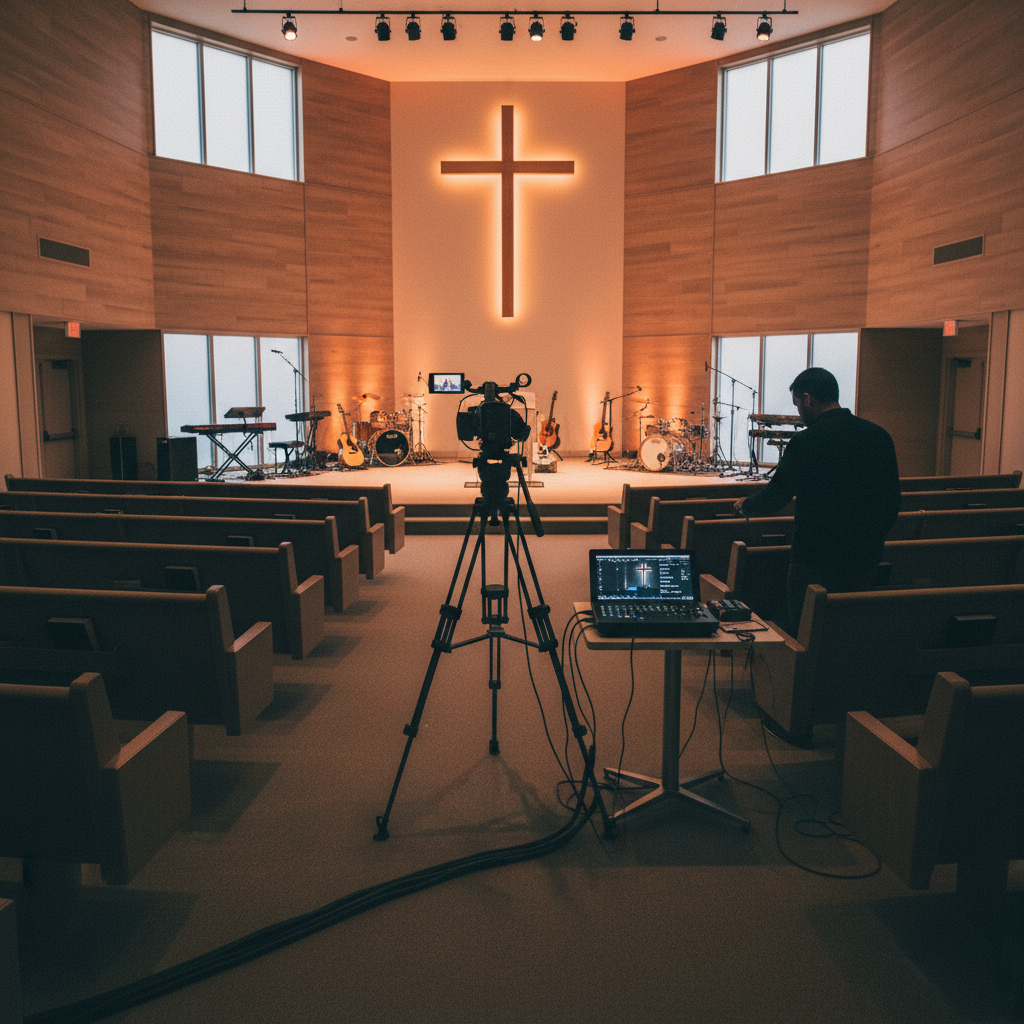
Livestreaming went from "nice to have" to "essential" almost overnight — and it's not going back. Even as in-person attendance has recovered, 30% of churchgoers still watch services online regularly. For homebound seniors, traveling members, sick families, and seekers who aren't ready to visit in person, your livestream is their front door to your church.
But a bad livestream — choppy video, echoing audio, camera pointed at the ceiling — does more harm than good. In this complete guide, we'll walk you through everything you need to livestream your church service professionally, from equipment to platforms to best practices.
Your livestream isn't a backup plan for people who couldn't make it. It's a ministry tool that reaches people you'll never meet in person — homebound seniors, traveling members, and seekers exploring faith from their couch.
Why Every Church Should Livestream
Before we get into the "how," let's be clear about the "why":
- Reach the homebound: Seniors, sick members, and those with disabilities who can't attend in person stay connected
- Welcome seekers: People exploring faith often watch a livestream before they ever visit — it's a low-pressure first step
- Keep travelers connected: Business travelers, military families, and college students stay part of your community
- Extend your reach: A livestream can be watched globally — we've seen churches reach viewers in 40+ countries
- Generate content: Your livestream becomes sermon video for your church app, YouTube, and social media
- Weather-proof your service: Snowstorm? Hurricane? Flu outbreak? Your service goes on — online
Livestream Equipment: What You Actually Need
You can livestream with a smartphone — but if you want a professional result that reflects the excellence of your ministry, here's what you need at each level:
Starter Setup (Under $500)
- Camera: Your smartphone (iPhone or Android) on a tripod with a phone mount
- Audio: Tap into your soundboard's auxiliary output with a $15 cable — never use the phone's mic
- Tripod: $40–$80 basic tripod with fluid head for smooth movement
- Lighting: Use existing stage lighting (if adequate) or a $50 LED panel
- Streaming: Direct to Facebook or YouTube via their free mobile apps
This works for churches just starting out — but expect limitations: one camera angle, no switching, and quality that varies with your phone and internet connection.
Intermediate Setup ($500–$3,000)
- Camera(s): 1–2 PTZ (pan-tilt-zoom) cameras or mirrorless cameras ($300–$1,000 each)
- Audio: Dedicated audio interface mixing board output ($100–$300)
- Switcher: Hardware switcher like Blackmagic ATEM Mini ($300–$600) or software like OBS (free)
- Encoding: Capture card ($100–$200) to feed camera into your computer
- Computer: A dedicated laptop or mini PC ($500–$1,000)
- Internet: Wired ethernet connection (not Wi-Fi) with at least 10 Mbps upload speed
This is the sweet spot for most churches — professional quality, multiple camera angles, and the ability to switch between shots during the service.
Professional Setup ($3,000–$15,000+)
- Cameras: 3–4 professional PTZ cameras with optical zoom ($1,000–$3,000 each)
- Audio: Professional multi-channel audio mixer with dedicated stream output ($500–$2,000)
- Switcher: Hardware production switcher ($1,000–$5,000)
- Graphics: Lower-thirds, sermon title overlays, scripture slides ($300–$1,000 software)
- Lighting: Dedicated stage lighting optimized for video ($1,000–$5,000)
- Personnel: A volunteer or staff member to operate cameras and switching during the service
Which Platform Should You Livestream To?
You have several options — and the right choice depends on your audience and goals:
YouTube Live — Best Overall
- Cost: Free
- Reach: 2+ billion users — and YouTube is the 2nd largest search engine, so your sermons get discovered
- Quality: Supports 1080p and 4K streaming
- Archive: Your livestream automatically saves as a video — perfect for your sermon library
- SEO: Optimized sermon titles rank in Google search results
- Best for: Churches that want maximum reach and a permanent sermon archive
Facebook Live — Best for Community
- Cost: Free
- Reach: 3 billion users — especially strong with 35+ demographic and families
- Engagement: Real-time comments and reactions create a community feel
- Sharing: Members can easily share your livestream to their own feeds — free evangelism
- Best for: Churches focused on member engagement and community building
Your Church Website — Best for Ownership
- Cost: Included with most church website platforms
- Control: You own the experience — no platform rules or algorithm changes
- Branding: Fully branded player on your own site, surrounded by your content and calls-to-action
- Data: You own the viewer data — no platform gating your analytics
- Best for: Churches that want full control and ownership of their livestream
Multistreaming — Do All Three
You don't have to choose. Tools like Restream, Castr, or OBS let you stream to YouTube, Facebook, and your website simultaneously — reaching every audience with one setup. Many churches multistream to maximize reach while also embedding the stream on their website for ownership. Learn more about church website design.
The Livestream Setup Checklist
Before you go live, run through this checklist every week:
- Test your internet: Run a speed test — you need at least 10 Mbps upload for 1080p. Use wired ethernet, never Wi-Fi.
- Check audio levels: Audio is more important than video. Test that the stream audio is clear, not echoing, and at a good volume.
- Frame your shots: Camera should capture the speaker waist-up, with headroom. Avoid wide shots where the pastor is a tiny figure.
- Check lighting: The speaker's face should be well-lit, not backlit (avoid windows behind the speaker).
- Test the stream: Go live 15 minutes early with a private/test stream to confirm everything works.
- Have a backup: If your primary setup fails, have a phone ready to take over — a phone livestream is better than no livestream.
Livestream Best Practices for Churches
- Audio first: People will tolerate mediocre video. They will not tolerate bad audio. Invest in clean board audio.
- Add captions: Live captions make your stream accessible to deaf and hard-of-hearing viewers — and to the 85% who watch without sound. This is also an ADA compliance best practice.
- Have a host: A 2-minute welcome before the service starts — "Welcome to [Church Name]! We're so glad you're joining us..." — makes online viewers feel seen.
- Speak to the camera: Periodically address online viewers directly: "If you're watching online, we're so glad you're here."
- Show the "next step": During the service or at the end, give online viewers a clear next step — a link to plan a visit, submit a prayer request, or give online.
- Engage in the chat: Have a volunteer monitor the live chat, welcome viewers, answer questions, and pray for prayer requests in real time.
- Keep the archive: Save every livestream as a permanent video on YouTube and your church app — it becomes a searchable sermon library.
Common Church Livestream Mistakes
- Using Wi-Fi: Wi-Fi is unreliable for streaming. Always use a wired ethernet connection.
- Bad audio: Using the camera's built-in mic picks up echo, HVAC noise, and room reverb. Always tap the soundboard.
- One static shot: A single wide shot for 60 minutes is boring. Use multiple cameras or at least zoom in/out for visual interest.
- No engagement: Ignoring the live chat makes online viewers feel like they're watching a recording, not participating in a service.
- No call to action: Online viewers who aren't given a next step (visit, give, connect) stay anonymous and disconnected.
- Inconsistent timing: Starting late or not streaming every week confuses regular online viewers. Be consistent.
- Forgetting the archive: Not saving or organizing your livestreams wastes their long-term value as a sermon library and SEO content.
Turning Your Livestream into a Ministry Tool
A livestream is more than a broadcast — it's the hub of a content engine that extends your ministry all week:
- Sermon clips for social media: Cut 30–60 second highlights for Instagram Reels, TikTok, and Facebook — see our social media strategy guide
- Full sermon on your app: Sync the recording to your church app for on-demand and offline listening
- Podcast syndication: Extract the audio and publish as a podcast on Apple Podcasts, Spotify, and Google
- Sermon notes: Pair the video with interactive sermon notes in your app
- Blog content: Turn the sermon into a written blog post for SEO — boosting your Google ranking
- Email follow-up: Send the sermon link to your email list Monday morning with a key takeaway and discussion question
One livestream becomes 10+ pieces of ministry content across your website, app, social media, podcast, and email — multiplying your reach with no additional effort.
Interactive Livestreaming: The Next Level
The best church livestreams aren't one-way broadcasts — they're interactive experiences:
- Live chat with pastoral moderation: A staff member or volunteer welcomes viewers, answers questions, and prays for requests
- Live prayer requests: A chat-based or form-based prayer request system that routes to your pastoral team
- Live giving: A "Give Now" button embedded in the stream page — capitalize on in-the-moment generosity
- Live polls: "Where are you joining from today?" — creates community and gives you data on your online audience
- Q&A sessions: A 10-minute live Q&A after the sermon where online viewers can ask questions
- Virtual connection cards: A digital form for online visitors to share their info and request follow-up
Internet Requirements: Don't Skimp Here
Your internet connection is the foundation of your livestream. Get this wrong, and nothing else matters:
- Upload speed: Minimum 10 Mbps for 1080p (test at speedtest.net). 20+ Mbps is ideal for headroom.
- Connection type: Wired ethernet — never Wi-Fi. Wi-Fi drops, lags, and causes buffering.
- Dedicated connection: If possible, use a dedicated internet line for streaming — separate from your office/guest Wi-Fi.
- Backup: A cellular hotspot as backup in case your main internet goes down mid-service.
Getting Started: Your First Livestream
Don't wait until you have the perfect setup. Start where you are and improve over time:
- Week 1: Livestream from your phone to Facebook Live. Tap the soundboard for audio. It won't be perfect — and that's okay.
- Week 2: Review the recording. What needs improvement — audio? Camera angle? Lighting? Fix one thing.
- Month 2: Add a second platform (YouTube). Invest in a dedicated camera and OBS software.
- Month 3: Add a volunteer to monitor chat. Start cutting sermon clips for social media.
- Month 6: Evaluate upgrading to PTZ cameras, a hardware switcher, or multistreaming.
How MyChurch Helps with Livestreaming
At MyChurch, livestreaming is built into every website and app we create. We help churches:
- Design and install professional livestream setups — from starter to pro
- Embed branded livestream players on your church website
- Sync livestreams automatically to your church app for on-demand viewing
- Set up multistreaming to YouTube, Facebook, and your website simultaneously
- Add live captions for accessibility and silent viewing
- Integrate live chat, prayer requests, and giving into the stream experience
- Automatically generate sermon clips for social media from each livestream
- Syndicate audio as a podcast to Apple, Spotify, and Google
Your livestream can be one of your most powerful ministry tools — reaching people you'll never meet in person, generating content all week long, and keeping your congregation connected no matter where they are. Let us help you build a livestream that reflects the excellence of your ministry.
Ready to Transform Your Church's Digital Presence?
Schedule a free consultation with our ministry technology experts and discover how a custom church app or AI-powered tools can grow your congregation.
Book Consultation →