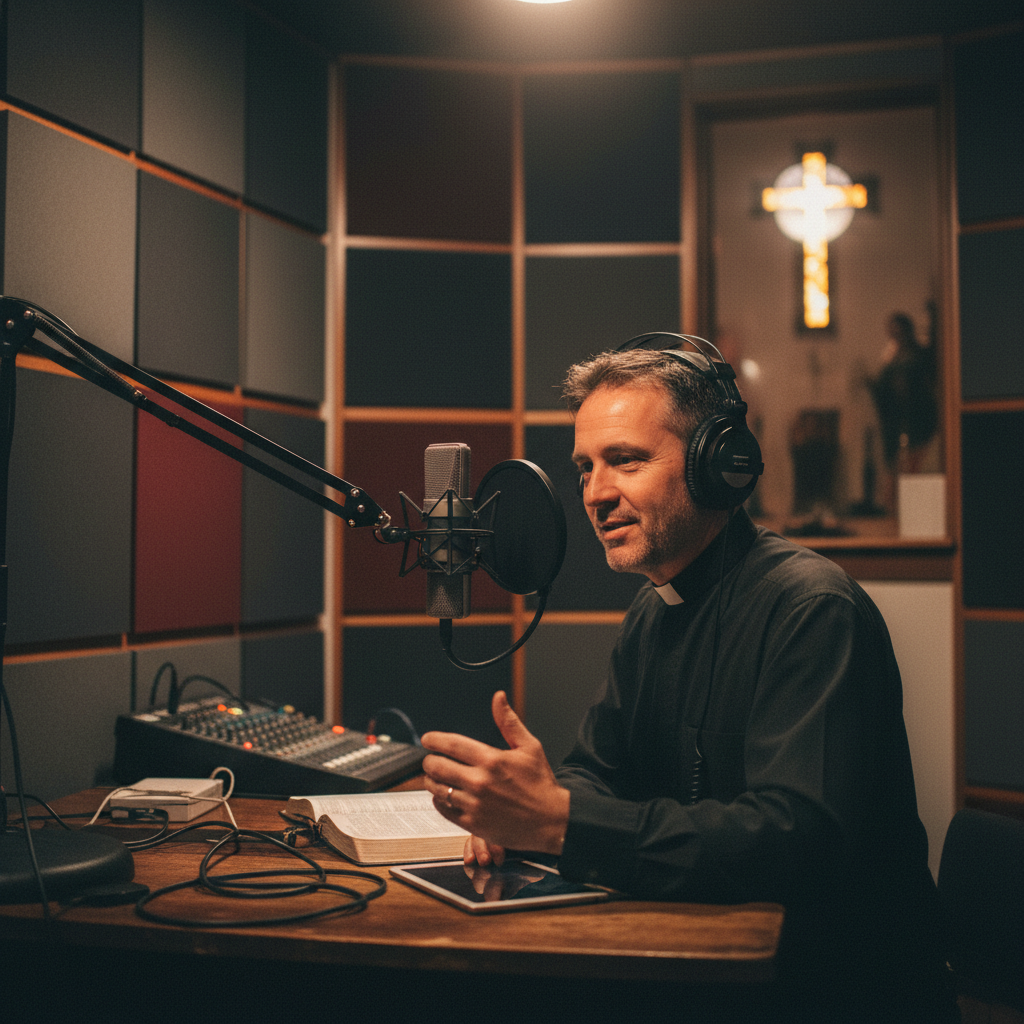
A church podcast extends your sermon beyond Sunday morning — reaching commuters, gym-goers, stay-at-home parents, and seekers worldwide. With 120 million+ podcast listeners in the US alone and sermon content you're already creating every week, starting a church podcast is one of the highest-ROI, lowest-effort ministry extensions available.
In this step-by-step guide, we'll walk you through everything you need to start a church podcast — from equipment to hosting to distribution — even if you have zero podcasting experience.
Your sermon is already recorded. Your message is already prepared. A podcast simply takes what you're already creating and makes it available to people who may never walk through your doors — on their schedule, in their world.
Why Every Church Should Have a Podcast
- Reach beyond your walls: Podcasts are discovered globally — your sermon can reach someone across the country or across the world
- Capture the "in-between" time: Commutes, workouts, housework, lunch breaks — podcasts fill time people can't give to attending in person
- Seeker-friendly: Podcasts are low-pressure — seekers can explore faith privately before ever visiting a church
- Member retention: Members who miss a Sunday catch up on the podcast — staying connected even when traveling or sick
- SEO benefits: Podcast show notes with transcripts boost your website's Google ranking — see local SEO guide
- Repurposed content: One sermon becomes a podcast episode, social clips, blog posts, and email content — see social media strategy
- Free to start: You're already recording sermons — the podcast is just a distribution channel for existing content
Podcast Equipment: What You Actually Need
The beauty of a church podcast is that you already have the content — your recorded sermons. The equipment question is really about audio quality:
The Simplest Approach ($0)
If you're already livestreaming or recording sermons, you already have audio. Simply extract the audio from your sermon recordings and upload it as a podcast. No additional equipment needed.
Better Quality ($100–$500)
- Dedicated audio capture: Tap your soundboard's recording output directly — not the camera audio
- Audio interface: $100–$200 device to capture clean board audio to a computer
- Recording software: Free options like Audacity or GarageBand; or OBS for simultaneous recording
- Audio editing: Trim intros/outros, normalize volume, remove long pauses — 10 minutes per episode
Professional Quality ($500–$2,000)
- Dedicated podcast microphone: $200–$500 for a quality condenser or dynamic mic (if recording separate intro/outro segments)
- Audio processor: $300–$800 for hardware that normalizes, compresses, and cleans audio in real-time
- Recording booth: Acoustic treatment for a small recording space — or record in a carpeted, furnished room
- Professional editing: Outsource to a podcast editor ($50–$150/episode) for polished, broadcast-quality results
Choosing a Podcast Hosting Platform
A podcast host stores your audio files and distributes them to Apple Podcasts, Spotify, Google Podcasts, and every other platform. You need one — you can't upload directly to Apple or Spotify.
- Buzzsprout: $12–$24/month. Beginner-friendly, excellent distribution, beautiful podcast websites. Best for churches starting out.
- Libsyn: $5–$15/month. Long-established, reliable, good analytics. A bit dated interface.
- Podbean: $9–$29/month. Good distribution, built-in monetization options, unlimited storage on higher tiers.
- Anchor (Spotify): Free. Unlimited hosting, automatic distribution to major platforms. Limited analytics and customization.
- Built-in (MyChurch): Podcast hosting integrated with your church app and website — automatic syndication to Apple, Spotify, and Google with no separate subscription.
Starting Your Church Podcast: Step by Step
Step 1: Name & Brand Your Podcast
- Name: "[Church Name] Sermons" or something more creative like "Living Word with Pastor [Name]"
- Cover art: 3000x3000px image with your church logo, podcast name, and host name — see branding guide
- Description: 1–2 sentences describing your podcast — what listeners will gain, who it's for
- Category: "Religion & Spirituality" → "Christianity" on Apple Podcasts
Step 2: Set Up Your Hosting Account
- Choose a hosting platform (see above)
- Upload your cover art and fill in your podcast description
- Set your RSS feed — this is what Apple, Spotify, and Google use to find your episodes
Step 3: Submit to Apple Podcasts & Spotify
- Apple Podcasts: Submit your RSS feed via Apple Podcasts Connect — approval takes 3–5 days
- Spotify: Submit via Spotify for Podcasters — approval usually within 24 hours
- Google/YouTube: Submit your RSS feed to Google Podcasts (or YouTube for video podcasts)
- Automatic distribution: Once approved by Apple and Spotify, your podcast automatically appears on 20+ other apps (Overcast, Pocket Casts, Castro, etc.)
Step 4: Publish Your First Episode
- Extract audio from your best recent sermon
- Edit: trim the worship music, keep the sermon, add a short intro ("Welcome to [Church Name] Sermons...")
- Write show notes: sermon title, scripture passage, key points, and a link to your website
- Upload to your hosting platform — it automatically distributes to all platforms within hours
Step 5: Build a Weekly Workflow
- Sunday: Record the sermon (you're already doing this)
- Monday: Extract audio, edit, and write show notes (30–60 minutes)
- Tuesday: Upload to your hosting platform — episode goes live on all platforms
- Wednesday: Share the new episode link on social media and in your email newsletter — email marketing guide
Church Podcast Best Practices
- Publish consistently: Weekly is ideal — same day every week. Listeners build habits around release schedules.
- Write detailed show notes: Include scripture references, key points, and links. Show notes boost SEO and help listeners find specific content.
- Use descriptive titles: "What Does the Bible Say About Anxiety?" gets discovered by seekers worldwide. "Sermon 7/14" does not.
- Add an intro & outro: A 10-second intro ("Welcome to [Church Name] Sermons with Pastor [Name]") and outro ("Thanks for listening. Visit [website] to learn more") make it professional.
- Normalize audio levels: Nobody listens to a podcast that's too quiet or too loud. Use a normalizer in your editing software.
- Remove dead air: Trim long pauses, technical setup time, and unrelated announcements. Keep it tight.
- Include a call-to-action: Every episode should end with a next step — visit the website, download the church app, submit a prayer request, plan a visit.
- Add transcripts: Transcripts boost SEO, improve accessibility, and let listeners search for specific content — ADA compliance
Beyond Sermons: Podcast Content Ideas
Your weekly sermon podcast is the foundation. But you can expand with additional content:
- Q&A episodes: Answer questions submitted by the congregation — great for seeker engagement
- Interview episodes: Interview ministry leaders, missionaries, or Christian authors
- Devotional episodes: Short (5–10 minute) daily or weekly devotionals — perfect for morning commutes
- Series-specific episodes: Deep-dive into a sermon series topic with additional teaching
- Testimony episodes: Members share their faith stories — powerful evangelistic content
- Holiday specials: Advent reflections, Easter devotionals, Christmas messages
How Your Podcast Integrates with Your Digital Strategy
- Podcast → Church app: Embed your podcast feed in your church app for one-tap listening
- Podcast → Website: Embed a podcast player on your sermon library page — church website
- Podcast → Social media: Cut 30–60 second audio clips for social posts — social media guide
- Podcast → Email: Link new episodes in your weekly email newsletter
- Podcast → Blog: Turn episode transcripts into SEO blog posts — SEO guide
- Podcast → Giving: Include giving links in show notes and episode outros — giving platforms
Common Church Podcast Mistakes
- Bad audio quality: Using camera audio instead of board audio. People tolerate mediocre video — they abandon bad audio.
- Generic titles: "Week 3 of Genesis" tells nobody what the episode is about. Use engaging, searchable titles.
- No show notes: Empty show notes mean no SEO benefit and no context for new listeners.
- Inconsistent publishing: Publishing sporadically kills subscriber growth. Commit to a weekly schedule.
- Not submitting to all platforms: Apple Podcasts is the biggest, but Spotify is growing fast. Submit everywhere.
- No call-to-action: Listeners who aren't given a next step stay anonymous. Always include a website link, app download, or prayer request prompt.
- Including worship music: Copyright issues and pacing problems. Keep the podcast focused on the sermon (spoken word).
- Not promoting it: "If you build it, they will come" doesn't apply to podcasts. Promote every episode on social media, email, and Sunday announcements.
Growing Your Church Podcast Audience
- Promote on Sunday: Mention the podcast from the pulpit — "If you missed last week, or want to share this sermon with a friend, it's on our podcast."
- Social media clips: Share 30–60 second audio clips with captions on Instagram, Facebook, and TikTok
- Ask for reviews: Apple Podcasts reviews boost visibility. Ask your congregation to rate and review.
- Cross-promote: Guest on other Christian podcasts and invite other podcasters on yours
- SEO-optimize titles: "How to Find Peace When You're Overwhelmed" is searchable. "Sunday Service 10/15" is not.
- Embed on your website: A podcast player on your sermon page drives both listens and website traffic
- Encourage sharing: Ask members to share episodes with friends — especially seekers who might benefit
Your First Episode: A Quick-Start Checklist
- Choose a podcast name and create cover art
- Sign up for a podcast hosting platform
- Submit your RSS feed to Apple Podcasts and Spotify
- Extract audio from your best recent sermon
- Edit: trim, normalize, add intro/outro
- Write show notes with scripture, key points, and website link
- Upload and publish
- Share on social media and email
- Mention it on Sunday morning
How MyChurch Helps with Church Podcasts
At MyChurch, podcast hosting and distribution are built into every church website and app we create. We help churches:
- Set up podcast hosting with automatic distribution to Apple, Spotify, and Google
- Embed podcast players on your church website's sermon library page
- Sync podcast episodes automatically to your church app for offline listening
- Design branded podcast cover art that matches your church's visual identity
- Create a weekly workflow: sermon → podcast → social clips → email → blog
- Add transcripts for SEO and accessibility
- Integrate podcast calls-to-action with giving, visitor follow-up, and event registration
Your sermon is already being preached. Your message is already being recorded. A podcast simply takes what God is already doing through your ministry and makes it available to a world that needs to hear it. Start today — your first episode could reach someone who needs it before next Sunday.
Ready to Transform Your Church's Digital Presence?
Schedule a free consultation with our ministry technology experts and discover how a custom church app or AI-powered tools can grow your congregation.
Book Consultation →